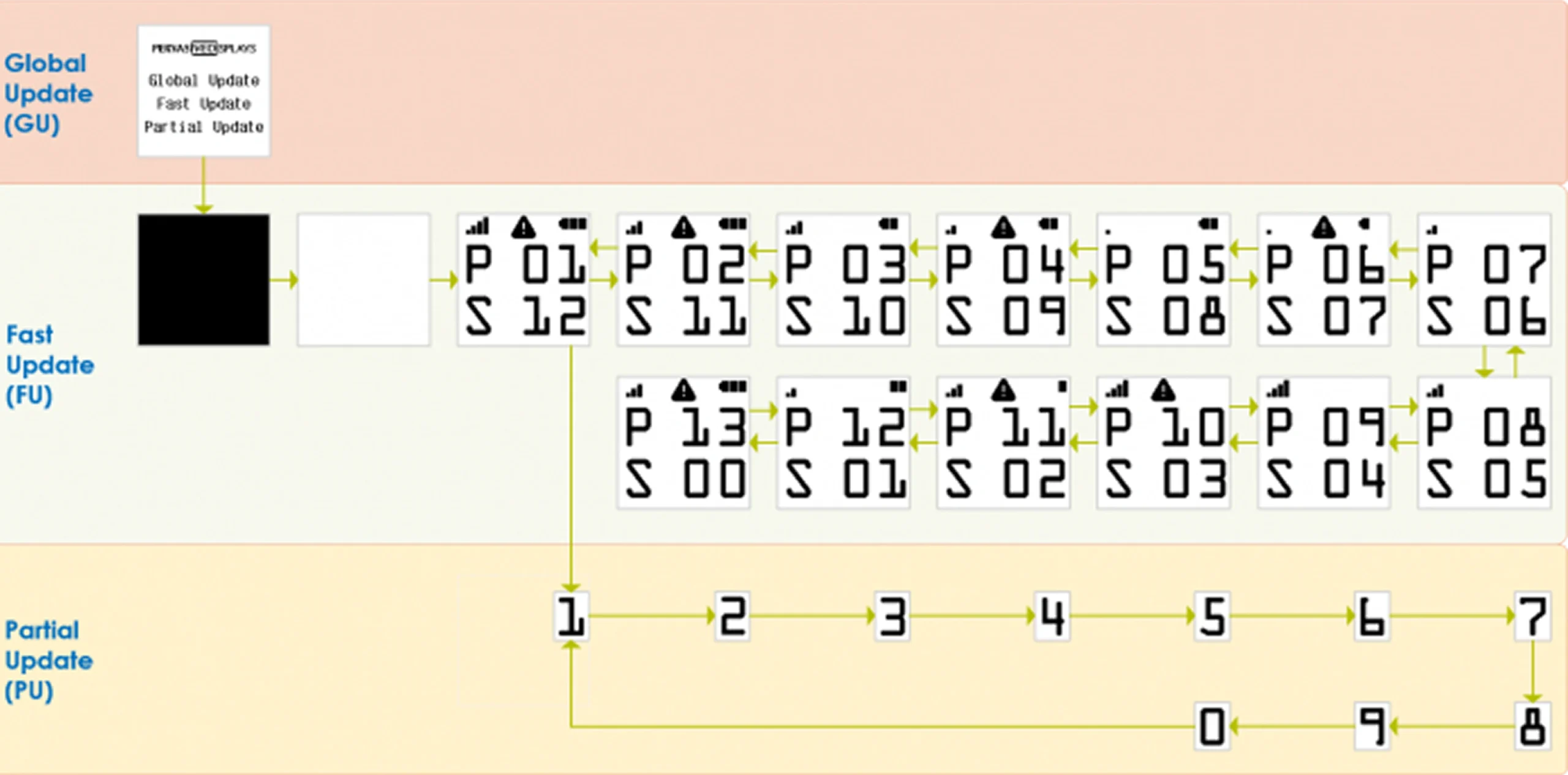
Pervasive Displays supports both Normal Update (also referred to as global update or global refresh) and Fast Update (also referred to as local update or fast refresh). A normal update affects every pixel on the display, whereas a fast update only affects the pixels that need to change in order to display the new image. With a fast update, the full image is sent to the driver IC, which compares the image data. A partial update requires an area (window) to be defined, after which the system sends only the image data specific to that area, using the same driving waveform to carry out the update.
To ensure optimal display performance and longevity, Pervasive Displays recommends using our advanced Fast Update technology. Unlike legacy Partial Update methods, which can result in unbalanced pixel charges and ghosting artifacts, Fast Update utilizes optimized driving waveforms to guarantee superior image clarity and reliability across all batch productions.

Update type | Global Update | Fast Update | Partial Update |
|---|---|---|---|
| Initialization | Panel initialization | Panel initialization | Panel initialization |
| Supported colors | Multiple colors and monochrome (BW) | Monochrome (BW) | Monochrome (BW) |
| Image data upload | New image + all 0x00 image data | Previous image + new image | Partial previous image + partial new image |
| Panel update | Whole screen, Flashing effect | Whole screen, Fast mode | Partial window, Fast mode |
| Image quality | Optimal quality | Optimal quality & Possible ghosting | Visible ghosting (worse than fast update) |
| Upload image speed | Slow | Slow | Fast |
| Update image speed | Slow | Fast | Fast |
| Overall speed | Slow | Faster | A bit faster than Fast Update |
| Lifespan impact speed | No | No | Yes |
As fast update mode may not be suitable for every application, it is important to understand how they are implemented and assess the potential consequences of implementing them.